

Free Chrome extension
Recall
Turn any sentence on the web into a flashcard.
Select text, press Make card, and let the schedule tell you when to review it. Recall uses FSRS, the same algorithm modern Anki uses, and keeps every card in your browser.
- FSRS scheduling
- Space flips, 1–4 grades
- Quizlet import
- No account
No server
Nothing is uploaded. There is no backend to go down, get hacked or change its terms.
No account
Install and use. No sign-up, no email address, no login to remember.
No tracking
No analytics, telemetry or crash reports. Turn on airplane mode and everything still works.
What it does
Everything in Recall
Make a card from anything
Select text on a page and press Make card. The front is pre-filled and the source page is saved. Or write cards in the panel with Cmd/Ctrl+Enter for rapid entry.
Real spaced repetition
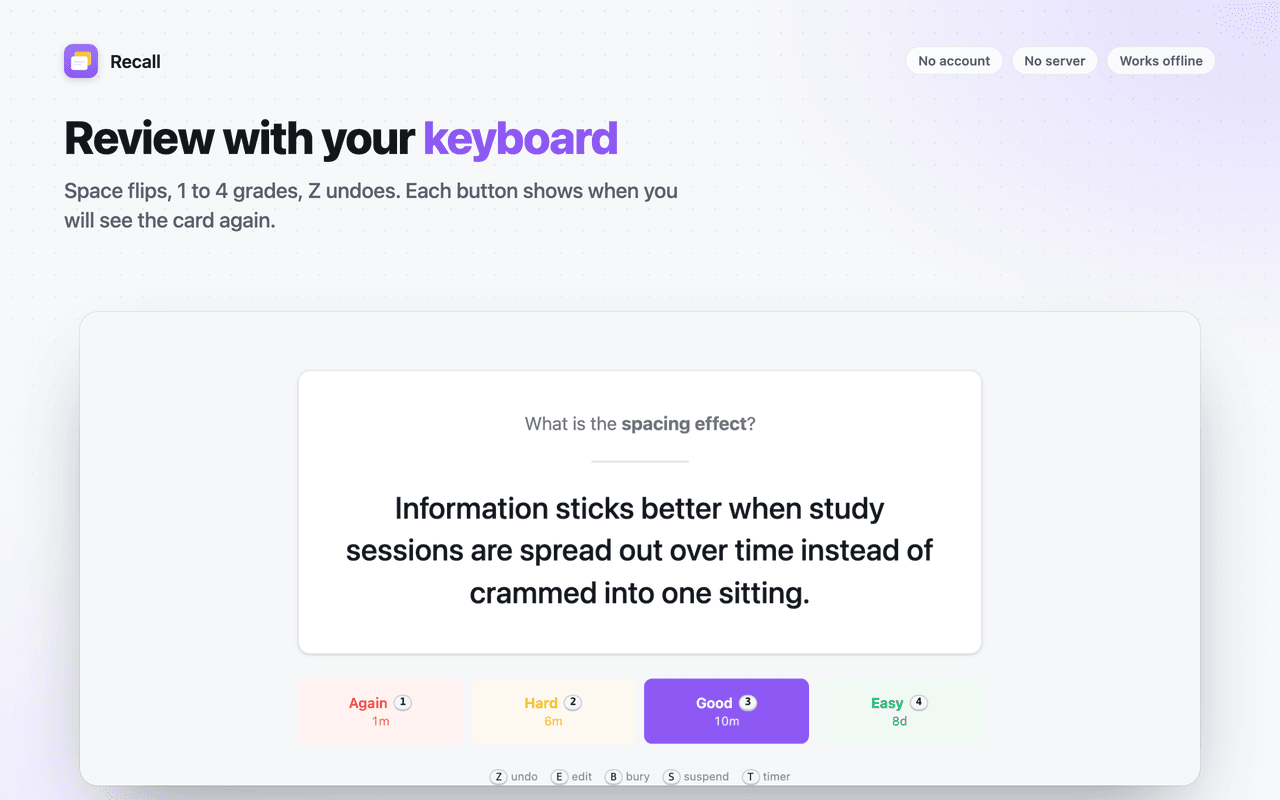
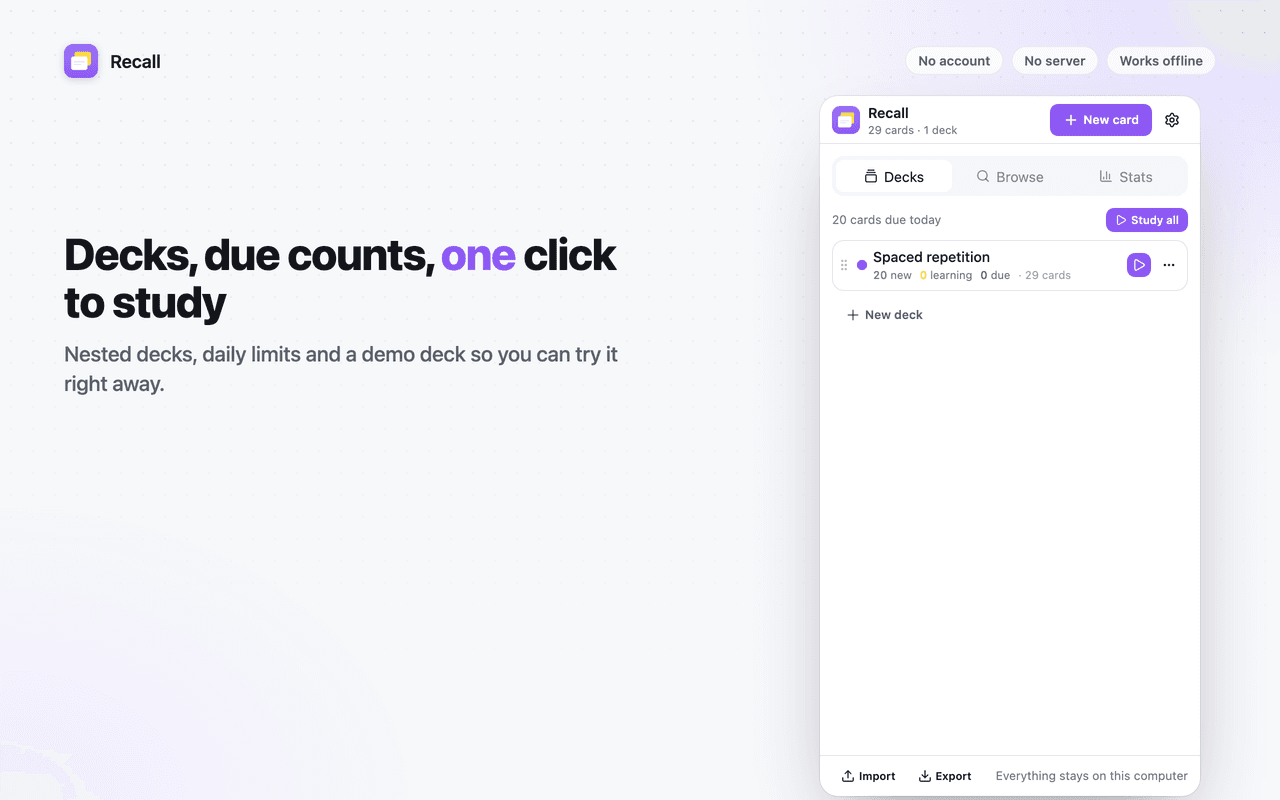
Each grade button shows exactly when you will see the card again. Daily new and review limits per deck, sibling burying, 4 am day rollover.
Review with your keyboard
A full-page review screen: Space flips, 1 to 4 grades, Z undoes the last answer exactly, E edits without leaving the session. Basic, reversed, cloze and type-the-answer cards.
Import from Quizlet in one paste
Paste a Quizlet export, pick the separators, preview, import. CSV and TSV with column mapping, Anki text exports and Markdown Q/A pairs work too.
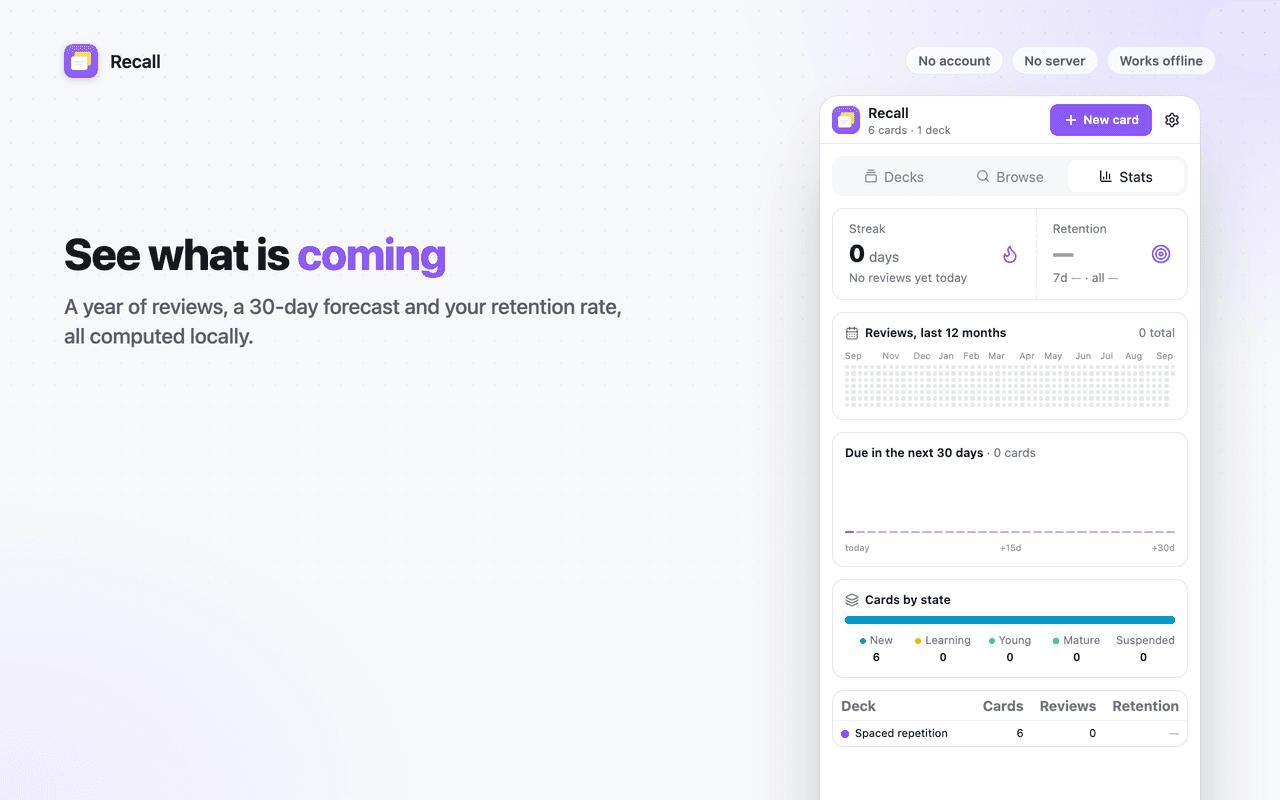
See what is coming
A year of reviews as a heatmap, a 30-day forecast, retention rate and streak, all computed locally.
Your data is yours
Export CSV, Anki text, Markdown or a full JSON backup at any time.
Screenshots
A look around Recall
Permissions
What Recall asks for, and why
Chrome shows these when you install. Here is what each one is used for.
storage- Stores settings and a change signal that keeps the panel, review page and badge in sync.
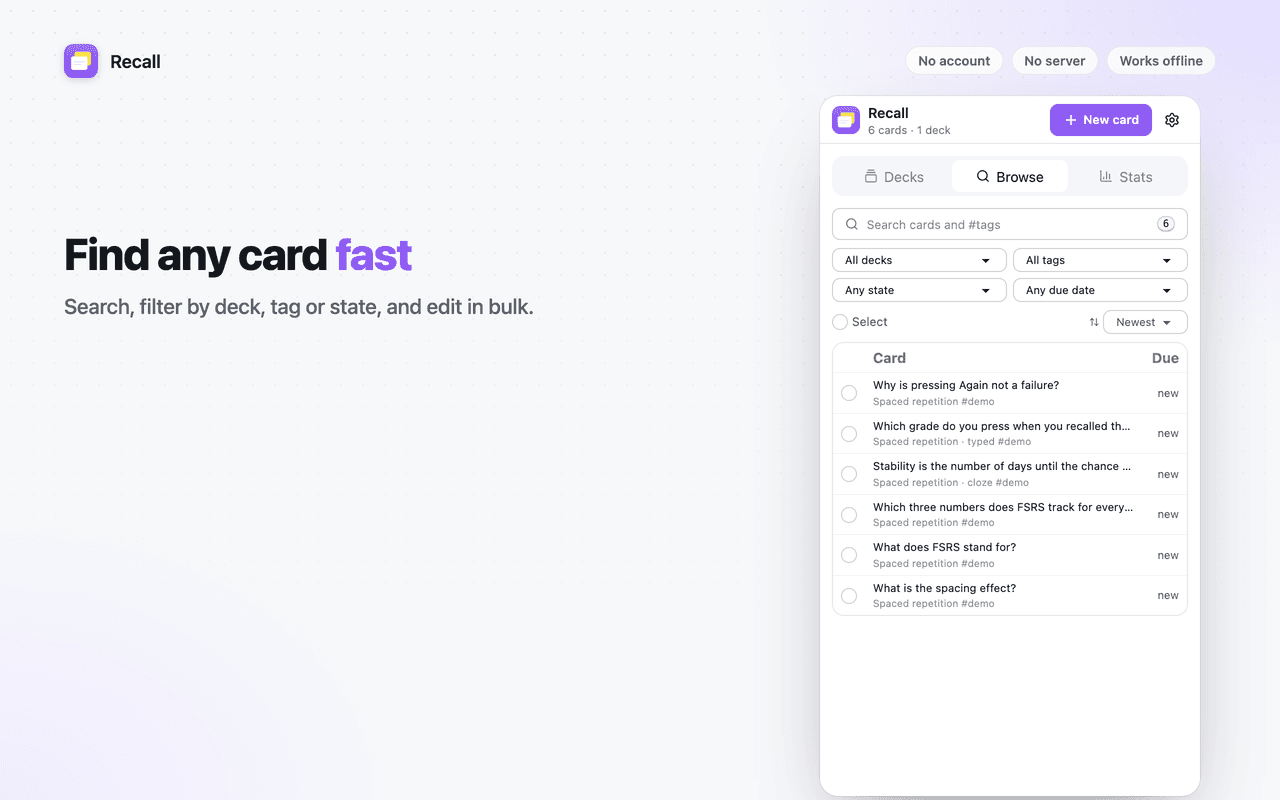
sidePanel- Decks, the card browser and statistics live in Chrome's side panel.
contextMenus- Adds "Make flashcard from selection" to the right-click menu.
activeTab- Reads the current page's title and URL to record a card's source.
Access to all sites- Shows the "Make card" button next to selected text on any page you study. It can be turned off per site or globally in settings. Recall never reads a page unless you select text.
Questions?
Recall: common questions
Support
Found a bug or a site where Recall misbehaves? Email us with the page URL and what you expected. Version 1.0.0.
[email protected]Read the privacy policyFree, forever local
Flashcards from any page, scheduled with FSRS.
One click to install. Nothing to sign up for.