

Free Chrome extension
Pacer
Watch lectures at your pace, not the recorder's.
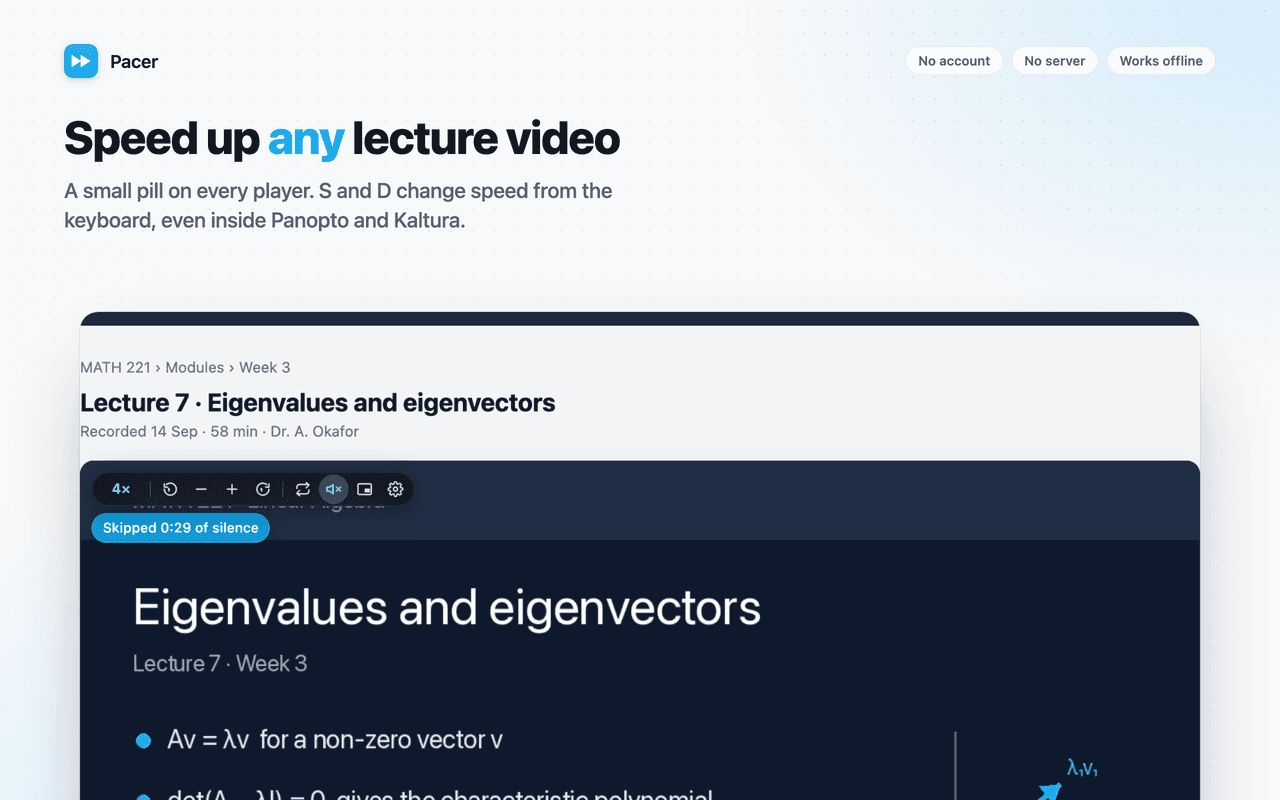
Pacer puts a small speed control on every video you watch and keeps every setting on your own computer. Works on Panopto, Kaltura, Echo360, Canvas Studio, Moodle, YouTube and any HTML5 video.
- S / D to change speed
- 0.25× to 5×
- Up to 400% volume
- No account
No server
Nothing is uploaded. There is no backend to go down, get hacked or change its terms.
No account
Install and use. No sign-up, no email address, no login to remember.
No tracking
No analytics, telemetry or crash reports. Turn on airplane mode and everything still works.
What it does
Everything in Pacer
Speed that sticks
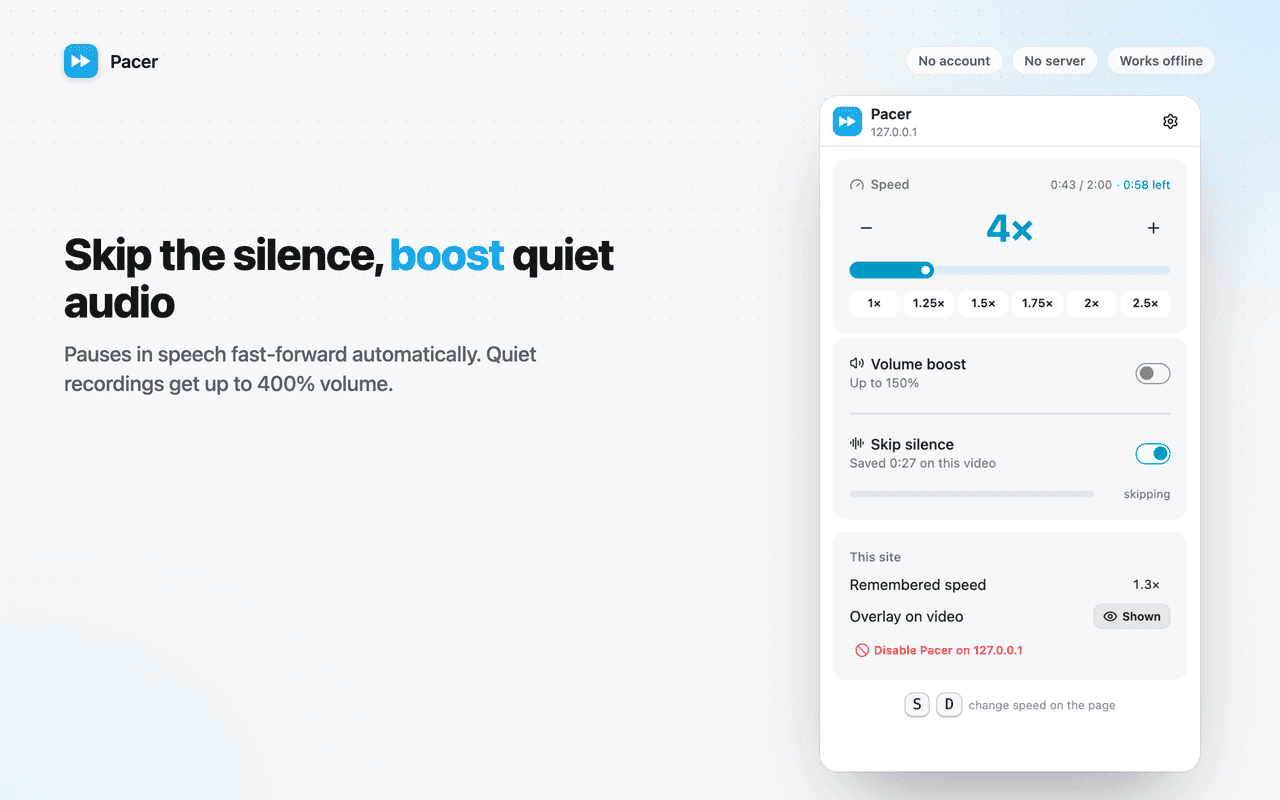
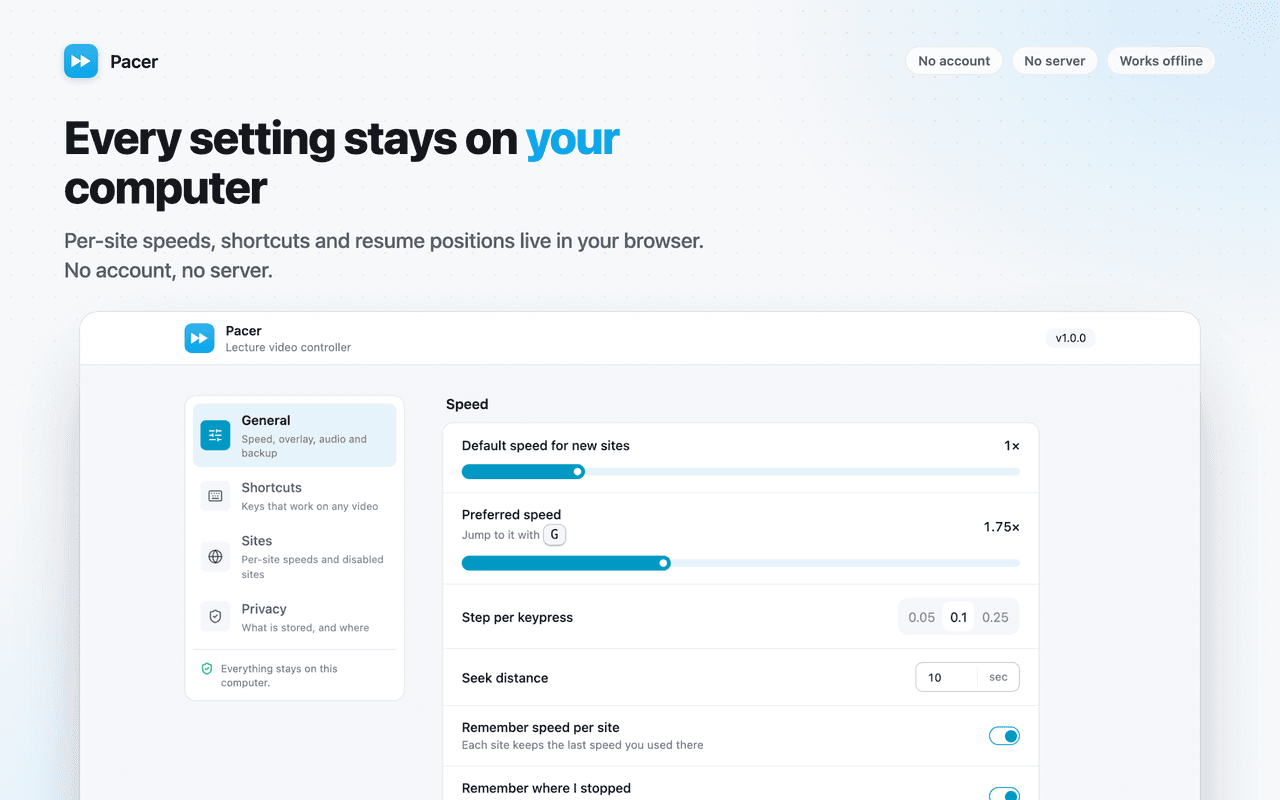
Press S and D to slow down or speed up. Pacer remembers the speed for each site and re-applies it every time, even when the player tries to reset it.
Skip the silence
Turn on silence skipping and pauses in speech fast-forward automatically. A small chip shows how much time you have saved on the current video.
Boost quiet recordings
Up to 400% volume for recordings captured too quietly. Pacer checks whether a site's audio can be processed before touching it, so playback is never broken.
Pick up where you stopped
Long videos offer a "Resume at 47:12" chip when you come back, so you never scrub through a two-hour lecture looking for your place.
Sees hidden players
Works on players that hide their video element inside shadow DOM, which most other speed controllers cannot reach.
The small things
A–B loop for re-watching a hard passage, frame step, picture-in-picture, jump ±10s. Every shortcut is rebindable and never fires while you type.
Screenshots
A look around Pacer
Permissions
What Pacer asks for, and why
Chrome shows these when you install. Here is what each one is used for.
storage- Saves your settings, per-site speeds and resume positions locally.
scripting- Registers a tiny document-start script so video players that hide their <video> element in a closed shadow root can still be controlled. It patches only attachShadow and does nothing else.
Access to all sites- The speed pill must appear on any video without a click, and universities use many different video platforms on unpredictable domains. Pacer only reads <video> elements; it never reads page content.
Questions?
Pacer: common questions
Support
Found a bug or a site where Pacer misbehaves? Email us with the page URL and what you expected. Version 1.0.0.
[email protected]Read the privacy policyFree, forever local
Speed, silence skipping and volume boost for every lecture video.
Under review on the Chrome Web Store. Check back soon, or browse the other extensions.